

Nothing ruins your viewing experience like constant interruptions. When your show freezes at a critical moment, it can be incredibly frustrating. This common issue happens when your internet connection can’t keep up with real-time video playback.
Research shows that even a single buffering event makes people watch 39% less content. Your streaming quality depends on many factors. These include your internet speed, device capabilities, and network traffic.
This guide provides a complete approach to fix these problems. You will learn both simple fixes and advanced optimization techniques. With the right knowledge, you can enjoy smooth, uninterrupted viewing on all platforms.
Table of Contents
Understanding What Causes Buffering During Live TV
That spinning wheel icon appears when your network struggles to deliver content in real-time. This loading process happens because data cannot download fast enough to match playback speed. The result is frozen frames, choppy audio, or complete interruptions that break your immersion.
During important events, these interruptions create immediate frustration. They damage viewer engagement and trust in your streaming capability. The technical reasons behind these problems vary widely across different setups.
How Buffering Disrupts Your Viewing Experience
Buffering manifests as visible breaks in your content flow. The video freezes while audio cuts out unexpectedly. These delays completely disrupt your broadcast’s natural rhythm.
Panic often sets in when these issues strike during critical moments. Audience attention drops significantly with each interruption. Streaming quality becomes unreliable when buffering occurs regularly.
Your overall experience suffers from these technical limitations. What should be seamless entertainment becomes a source of frustration. Understanding these impacts helps motivate effective solutions.
Common Technical Reasons for Streaming Interruptions
Slow internet connection remains the primary culprit behind most buffering problems. When your bandwidth cannot handle the data requirements, interruptions become inevitable. Testing your actual speed reveals whether this is your main issue.
Network congestion occurs when multiple devices share your bandwidth. During peak usage hours, this congestion severely impacts performance. Each additional device reduces available resources for your stream.
Weak Wi-Fi signals weaken through walls and over distance. Physical obstructions cause dropped data packets and connection instability. Moving closer to your router often provides immediate improvement.
Background applications secretly consume your bandwidth. File downloads, cloud syncing, and automatic updates compete for resources. Closing these applications frees up capacity for smoother streaming.
ISP throttling intentionally slows down your streaming services during high-traffic times. Even with sufficient plans, your internet service provider may limit bandwidth. This practice affects many users during evening hours.
Outdated devices lack the processing power for modern streaming requirements. Limited CPU or RAM causes encoding and transmission lag. Older hardware simply cannot handle today’s high-quality content demands.
Router configuration issues create bottlenecks in your network performance. Outdated hardware or incorrect settings limit your connection’s potential. Proper setup ensures your equipment operates at maximum efficiency.
High-quality streaming settings require faster connections than lower resolutions. An imbalance between settings and available speed causes unavoidable buffering. Matching your quality settings to your internet capabilities prevents this issue.
Check Your Internet Connection First
Your viewing experience starts with a reliable internet connection. Before diving into complex solutions, verify your basic setup. This foundation determines everything else.
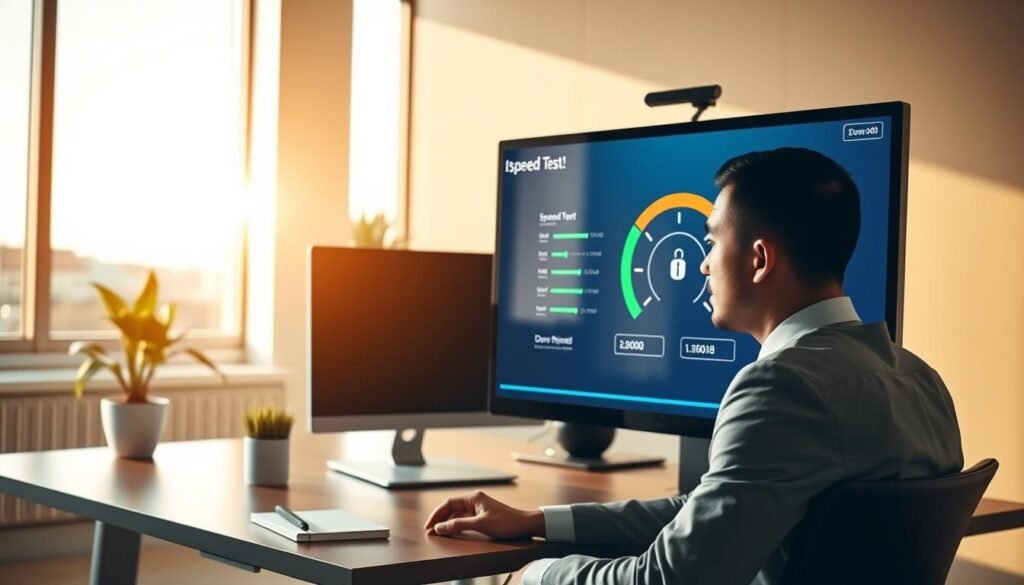
Running a Speed Test for Optimal Performance
Begin with a proper speed test. Services like Ookla provide accurate measurements of your current internet speed. These tests show your download and upload rates in real-time.
Run the test during your typical viewing hours. This gives you the most relevant data for your streaming needs. Multiple tests provide a clearer picture of your average performance.
If results seem lower than expected, restart your connection. Deactivate and reactivate your Wi-Fi or LAN through your device’s network menu. This simple reset often improves speed immediately.
Test across multiple devices to identify patterns. Consistent low speeds across all devices indicate network-wide issues. Variable results suggest device-specific problems.
Determining Your Required Bandwidth for Live TV
Different streaming qualities demand specific bandwidth levels. Netflix recommends these minimum speeds for optimal performance:
| Streaming Quality | Minimum Bandwidth | Recommended Speed |
|---|---|---|
| Standard Definition (SD) | 1 Mbps | 3 Mbps |
| Full High Definition (Full-HD) | 5 Mbps | 10 Mbps |
| 4K Ultra HD | 15 Mbps | 25 Mbps |
Your upload speed matters significantly for live content. It should be at least twice your stream’s bitrate for smooth performance. This ensures stable data transmission to and from servers.
Consider household usage when calculating needs. Multiple simultaneous streams require additional bandwidth. Add 5 Mbps for each extra device streaming high-quality content.
Large live events can strain provider servers. Use Downdetector.co.uk to check for widespread service problems. This helps identify issues beyond your control.
Ethernet connections provide superior stability compared to Wi-Fi. They offer faster speeds and reduced interference. For 4K content, wired connections deliver noticeably better performance.
Match your streaming quality settings to your available bandwidth. Higher settings require more internet speed. Finding the right balance prevents most buffering issues.
Optimize Your Streaming Devices
Your equipment plays a crucial role in delivering smooth entertainment. Many people overlook how their devices affect streaming quality. Proper maintenance and optimization can dramatically improve your experience.
Updating Firmware and Software for Better Performance
Regular updates keep your equipment running at peak efficiency. Manufacturers release improvements that enhance compatibility and speed. These updates often fix bugs that cause performance issues.
Navigate to your device’s settings menu to check for available updates. Most modern streaming platforms require current software versions. Outdated systems struggle with modern content demands.
Set your devices to automatically download updates when available. This ensures you always have the latest performance enhancements. Manual checks are still recommended monthly for optimal results.
Closing Background Applications That Steal Bandwidth
Hidden programs can secretly consume your valuable resources. These applications reduce available bandwidth for your main activity. Identifying and closing them frees up significant capacity.
Use CTRL+ALT+DEL on Windows or Activity Monitor on macOS. These tools show which programs use the most network resources. Look for unexpected data usage that might indicate background activity.
Common bandwidth thieves include:
- Cloud storage synchronization services
- Automatic software update checkers
- File-sharing applications
- Email clients with constant polling
- VPN software that might throttle connection speed
Temporarily disable these applications during important viewing sessions. This simple step can immediately improve streaming quality.
When to Consider Hardware Upgrades
Technology advances quickly, and older equipment has limits. Your device’s processing power determines how well it handles high-quality content. Insufficient RAM or outdated processors cause playback issues.
Consider these signs that you need an upgrade:
- Consistent lag during high-definition streams
- Inability to handle multiple applications simultaneously
- Frequent crashes or freezing during playback
- Compatibility issues with newer streaming platforms
Modern streaming demands at least 8GB RAM for smooth performance. Older Fire TV Sticks and Smart TVs may struggle with today’s requirements. Newer models offer better processing power and improved connectivity options.
Assess your device’s capabilities against current streaming standards. Sometimes, a simple hardware upgrade provides the most effective solution. This investment ensures long-term enjoyment of buffer-free entertainment.
Network Optimization Techniques
Network optimization represents the next frontier in eliminating playback interruptions. Your home setup directly impacts how data flows to your viewing devices. Strategic adjustments can dramatically improve your digital entertainment experience.
Proper configuration ensures your equipment operates at peak efficiency. These techniques work together to create a stable foundation for all your streaming needs. Implementing them systematically delivers noticeable improvements.
Router Placement and Restart Procedures
Strategic router positioning significantly enhances your wireless signal strength. Place your equipment centrally with clear line of sight to main viewing areas. Avoid physical barriers like walls and furniture that weaken transmission.
Distance from your router quickly diminishes Wi-Fi performance. Thick walls and ceilings particularly suppress signal strength. Optimal placement minimizes these obstacles for better connectivity.
Regular router maintenance resolves common network issues. The proper restart procedure involves unplugging from power for 20 seconds. Reconnect and wait for LED indicators to stabilize completely.
This simple process clears IP address conflicts and memory leaks. It refreshes your connection to your internet service provider. Consistent performance often returns immediately after this reset.
Switching Between 2.4GHz and 5GHz Bands
Understanding frequency band differences optimizes your wireless experience. The 2.4GHz band offers wider coverage but slower data throughput. It works better for devices farther from your router.
The 5GHz band provides increased speed over shorter distances. Fewer devices use this frequency, reducing interference issues. It’s ideal for high-bandwidth activities near your equipment.
Modern routers with Band Steering automatically assign optimal frequency bands. This technology evaluates each device’s needs and location. It ensures the best possible connection for every user.
Airtime Fairness technology prevents older devices from blocking entire network performance. It allocates resources efficiently across all connected equipment. This maintains consistent quality for demanding applications.
Using Ethernet Connections for Maximum Stability
Wired connections deliver superior stability compared to wireless options. Ethernet cables provide consistent data rates without signal fluctuation. This is particularly valuable for data-intensive 4K content.
Direct connections eliminate Wi-Fi interference and distance issues. They offer faster speeds and more reliable performance. Many modern devices support Ethernet for enhanced connectivity.
Implement wired connections for stationary equipment like smart TVs and desktop computers. This frees up wireless bandwidth for mobile devices. Your overall network efficiency improves significantly.
Ethernet connections ensure stable data transmission during peak usage times. They handle high-quality video without the buffering problems of wireless networks. This reliability transforms your streaming experience.
Advanced Solutions for Persistent Buffering
When standard fixes fail to resolve your streaming interruptions, advanced network solutions become essential. These techniques address deeper network issues that basic troubleshooting cannot fix. Implementing these strategies can transform your digital entertainment experience.
Modern networking technology offers powerful tools for eliminating stubborn performance problems. These solutions work together to create a robust foundation for all your streaming needs. The right combination can finally deliver the smooth playback you deserve.
Using Wi-Fi Amplifiers and Mesh Systems
Wi-Fi repeaters effectively extend your network coverage to adjacent rooms. They capture your existing signal and rebroadcast it to eliminate dead zones. This simple solution works well for moderate distance improvements.
Powerline technology offers an innovative alternative to traditional networking. It uses your home’s electrical wiring for data transmission without additional cabling. This approach provides stable connections through walls where Wi-Fi struggles.
Mesh Wi-Fi systems represent the ultimate wireless solution for larger spaces. Multiple access points create a seamless network that automatically provides the strongest signal. These systems intelligently manage your connection as you move throughout your home.
Modern mesh systems include advanced features like Band Steering and Airtime Fairness. BSS Coloring technology helps avoid signal conflicts in multi-unit buildings. These innovations ensure optimal performance in crowded wireless environments.
Upgrading to Wi-Fi 6 technology delivers speeds up to 9.6 Gbps. OFDMA technology significantly improves multitasking capabilities across multiple devices. This advancement provides increased data throughput for today’s demanding streaming requirements.
Understanding and Implementing Quality of Service (QoS)
Quality of Service settings prioritize streaming traffic over other network activities. This ensures your video content receives the bandwidth it needs during critical viewing times. Proper configuration can prevent buffering even during peak usage hours.
Most modern routers include QoS settings in their administration panels. You can designate specific devices or applications for priority treatment. This strategic allocation prevents background tasks from interfering with your entertainment.
QoS works by managing network traffic based on your predetermined rules. It identifies streaming data and gives it transmission priority over less time-sensitive information. This intelligent management maintains consistent video quality throughout your viewing session.
When to Consider VPN Services
VPN services can bypass ISP throttling of streaming content. Some internet providers intentionally slow down specific services during high-traffic periods. Encryption prevents your provider from identifying and limiting your streaming data.
Choose VPN servers optimized for streaming performance to maintain stability. These specialized servers offer better speeds and reliability for video content. Proper server selection minimizes the additional latency that VPN connections can introduce.
VPN implementation requires careful consideration of your specific needs. While effective against throttling, it may slightly reduce your overall connection speed. Test different servers to find the optimal balance between security and performance.
Modern VPN services offer specialized streaming modes that optimize video delivery. These configurations prioritize speed and stability for entertainment purposes. When configured correctly, they can enhance your streaming experience while protecting your privacy.
Achieving Live TV Without Buffering: Step-by-Step Implementation
Your journey to uninterrupted entertainment begins with a personalized action plan that addresses your specific setup. This systematic approach ensures you address both immediate fixes and long-term solutions. The right strategy transforms your viewing from frustrating to flawless.
Creating Your Personalized Streaming Optimization Plan
Start with the simplest solutions before moving to advanced techniques. Test your streams on different devices to identify whether issues are device-specific or network-wide. This diagnostic step saves time and effort.
Implement regular speed testing to monitor connection performance. Use tools like Castr’s bitrate calculator to determine optimal settings. These measurements provide concrete data for informed decisions.
Schedule bandwidth-intensive activities outside your viewing sessions. Background downloads and updates can consume valuable resources. Strategic timing ensures your entertainment receives priority bandwidth.
Adaptive bitrate streaming automatically adjusts quality based on network conditions. This technology maintains smooth playback during fluctuations. It’s particularly valuable for inconsistent internet connections.
Multi-CDN strategies increase reliability by using multiple content delivery networks. This approach provides redundancy if one server experiences issues. Your content reaches you through the most efficient path available.
Content encoding reduces file sizes while maintaining high video quality. Choose optimal formats like H.264 or H.265 for streaming efficiency. Powerful encoders ensure quick processing and smooth delivery.
Monitoring and Adjusting Your Setup Over Time
Regular maintenance keeps your system performing at its best. Update your equipment and software as new improvements become available. Technology evolves rapidly, and staying current prevents future issues.
Monitor your internet service provider’s performance during peak hours. Some providers struggle with high traffic times. Understanding these patterns helps you plan your viewing schedule.
Track changes in your household’s internet usage patterns. New devices or increased streaming demands may require adjustments. Your optimization plan should evolve with your needs.
Test different streaming platforms to compare performance. Some services may work better with your specific setup. Variety ensures you always have reliable options available.
Maintain a troubleshooting journal to record what works and what doesn’t. This documentation helps you quickly resolve recurring issues. Patterns emerge that guide your optimization efforts.
Consider professional network analysis if problems persist. Sometimes expert insight identifies overlooked factors. Investment in professional help can resolve long-standing frustration.
Conclusion: Enjoying Buffer-Free Live TV Viewing
Your journey to flawless entertainment is within reach through systematic preparation. The strategies outlined provide a complete roadmap to eliminate streaming interruptions for good.
Regular maintenance and proper equipment setup ensure consistent performance. Your audience values smooth playback as much as premium content quality.
Professional solutions like multi-CDN technology offer robust infrastructure. Adaptive bitrate streaming maintains quality during network fluctuations.
Embrace the confidence of delivering uninterrupted viewing experiences. Technical optimization significantly enhances engagement and satisfaction for all users.
👉 Click here to access the service